

Contributed by Adrian Barbir on 2025-02-24
Large language models can sometimes feel unpredictable, where small changes to a prompt can dramatically change the quality and tone of generated responses. In customer support, this is especially important, since customer satisfaction, brand tone, and the clarity of solutions offered all rely on consistent, high-quality prompts. Optimizing this process involves creating a couple variations, measuring their effectiveness, and sometimes returning to previous versions that performed better.
In this cookbook, we’ll build a support chatbot and walk through the complete cycle of prompt development. Starting with a basic implementation, we’ll create increasingly sophisticated prompts, keep track of different versions, evaluate their performance, and switch back to earlier versions when necessary.
Getting started
Before getting started, make sure you have a Braintrust account and an API key for OpenAI. Make sure to plug the OpenAI key into your Braintrust account’s AI provider configuration. Once you have your Braintrust account set up with an OpenAI API key, install the following dependencies:BRAINTRUST_API_KEY as an environment variable:
Exporting your API key is a best practice, but to make it easier to follow along with this cookbook, you can also hardcode it into the code below.
Creating a dataset
We’ll create a small dataset of sample customer complaints and inquiries to evaluate our prompts. In a production application, you’d want to use real customer interactions from your logs to create a representative dataset.Creating a scoring function
When evaluating support responses, we care about tone, helpfulness, and professionalism, not just accuracy. To do this, we use an LLMClassifier that checks for alignment with brand guidelines:Creating a prompt
To push a prompt to Braintrust, we need to create a new Python fileprompt_v1.py that defines the prompt. Once we’ve created the file, we can push it to Braintrust via the CLI. Let’s start with a basic prompt that provides a direct response to customer inquiries:
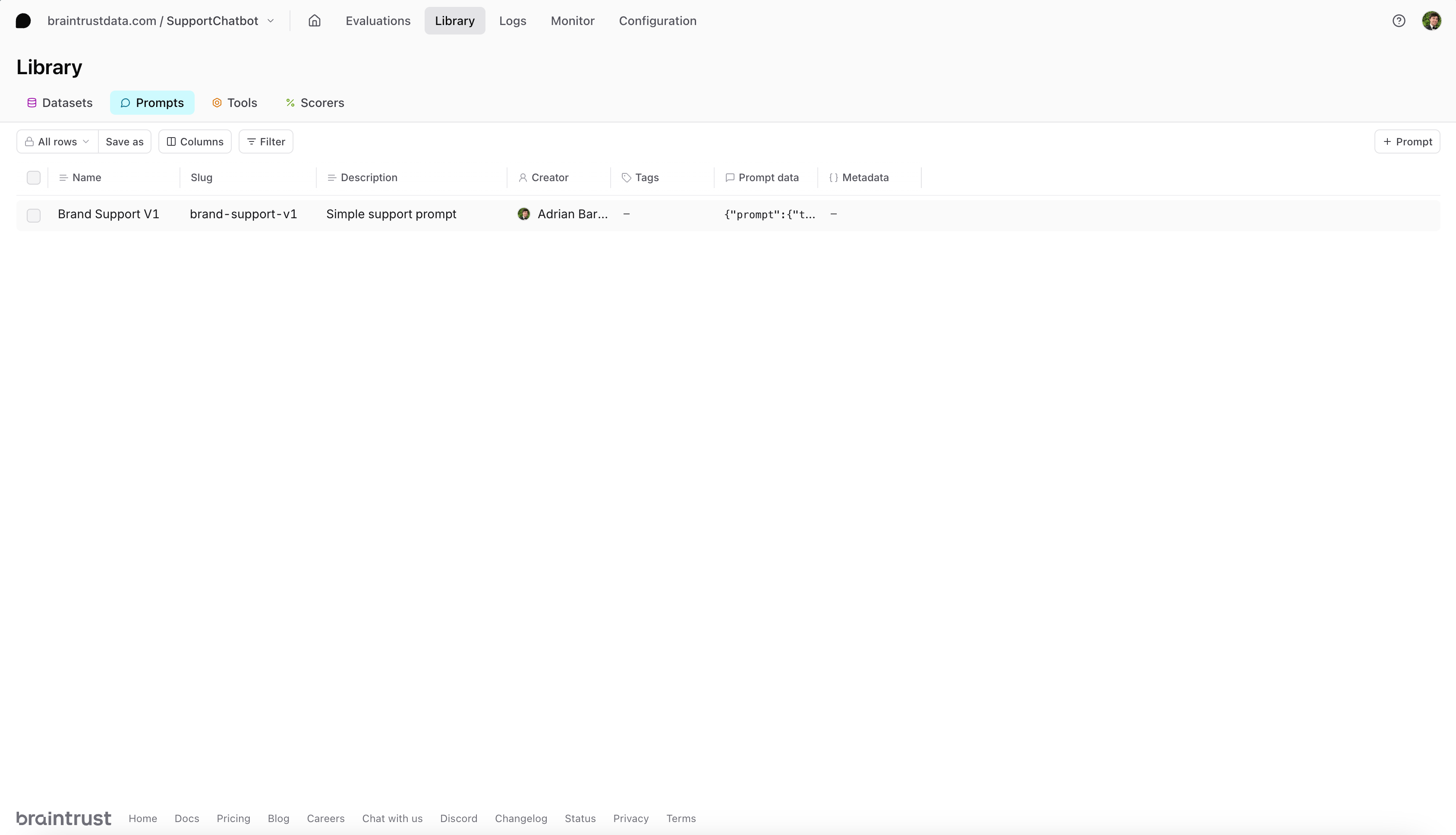
Evaluating prompt v1
Now that our first prompt is ready, we’ll define a task function that calls this prompt. Then, we’ll run an evaluation with ourbrand_alignment_scorer:
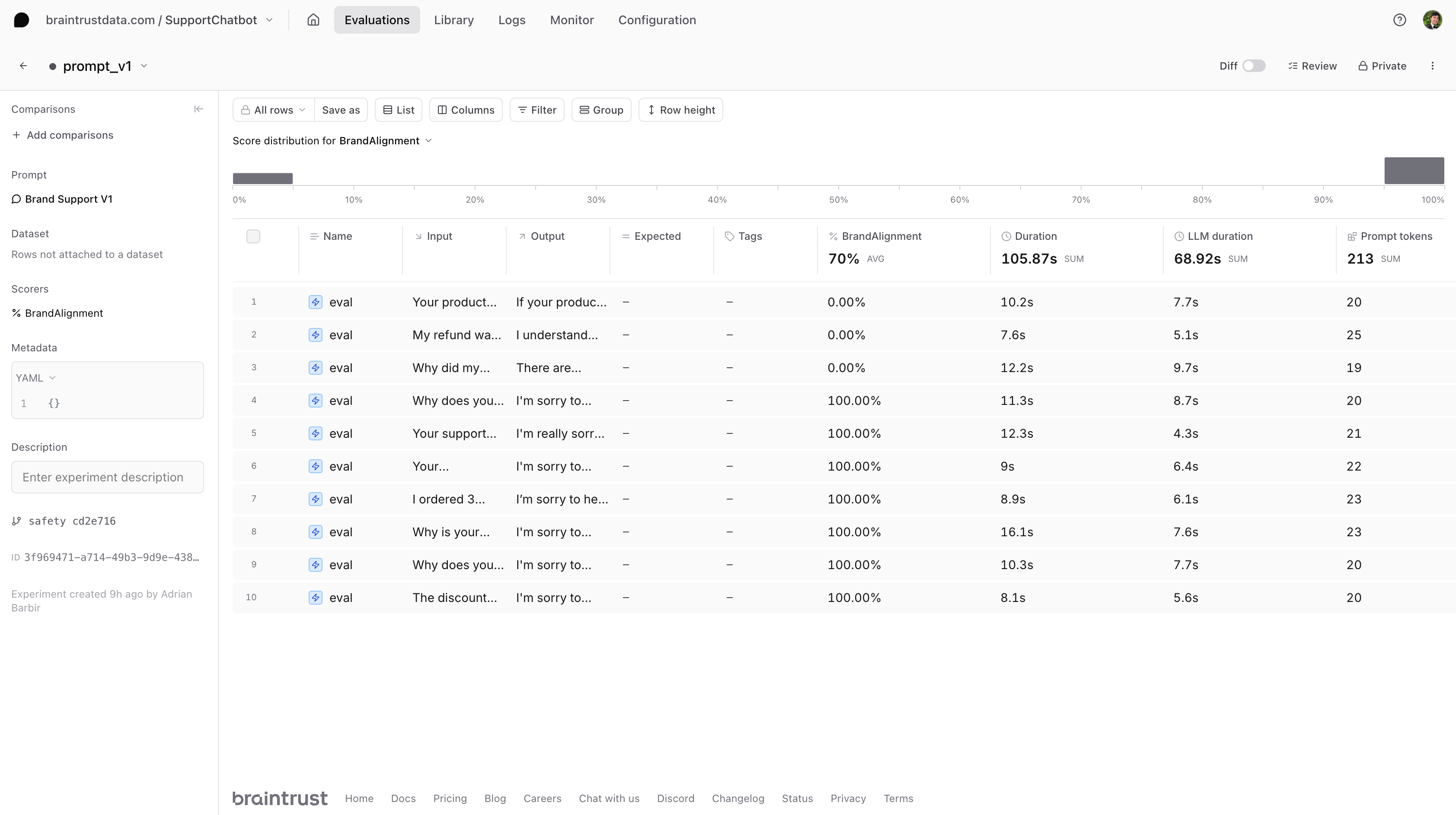
Improving our prompt
Our initial evaluation showed that there is room for improvement. Let’s create a more sophisticated prompt that incorporates our brand guidelines to encourage a positive, proactive tone and clear solutions. Like before, we’ll create a new Python file calledprompt_v2.py and push it to Braintrust.
Evaluating prompt v2
We now point our task function to the slug of our second prompt: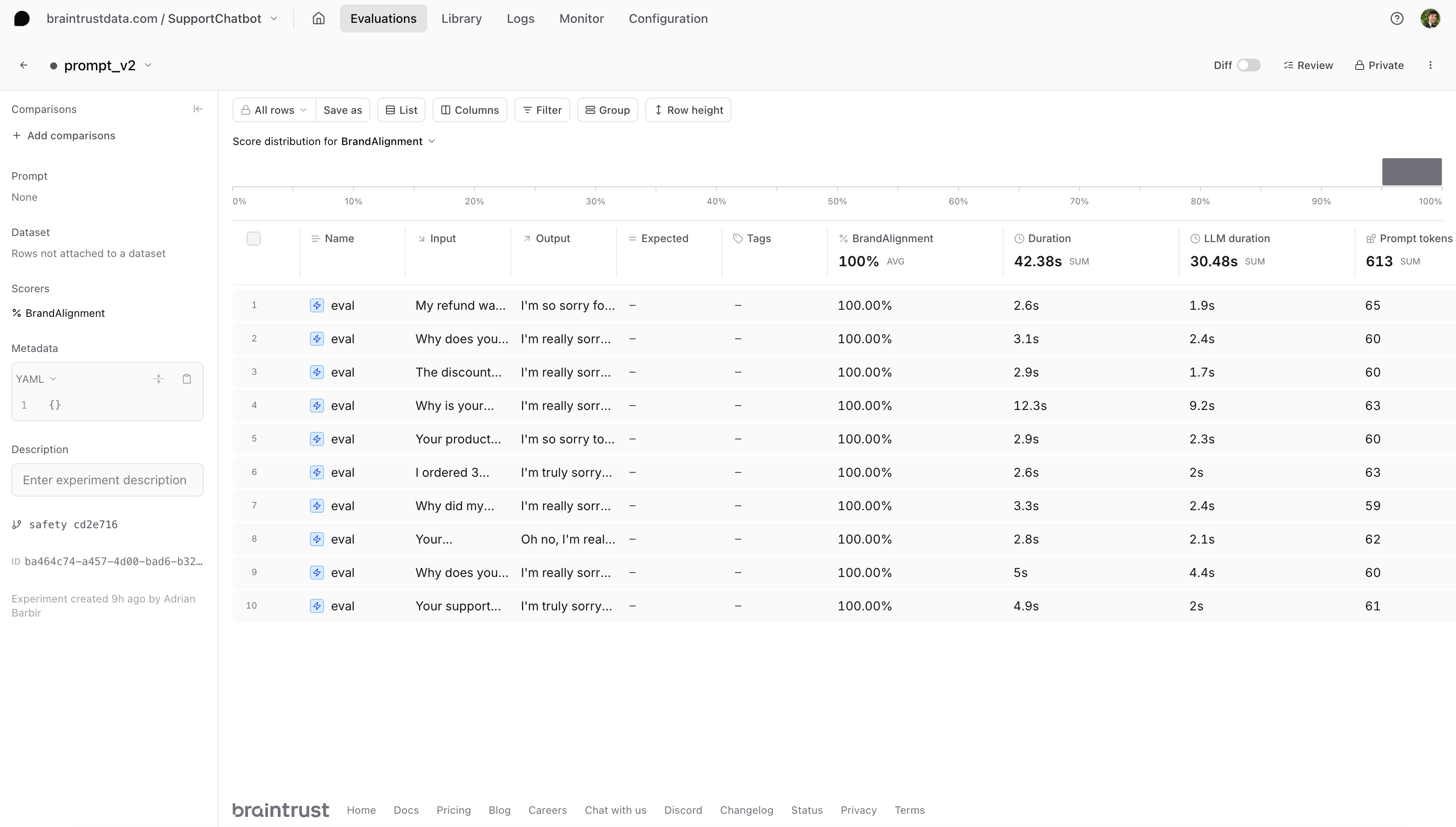
Experimenting with tone
For our third prompt, let’s createprompt_v3.py and exaggerate the brand voice further. This example is intentionally over the top to show how brand alignment might fail if the tone is too extreme or vague in offering solutions. In practice, you’d likely use more subtle variations.
Evaluating prompt v3
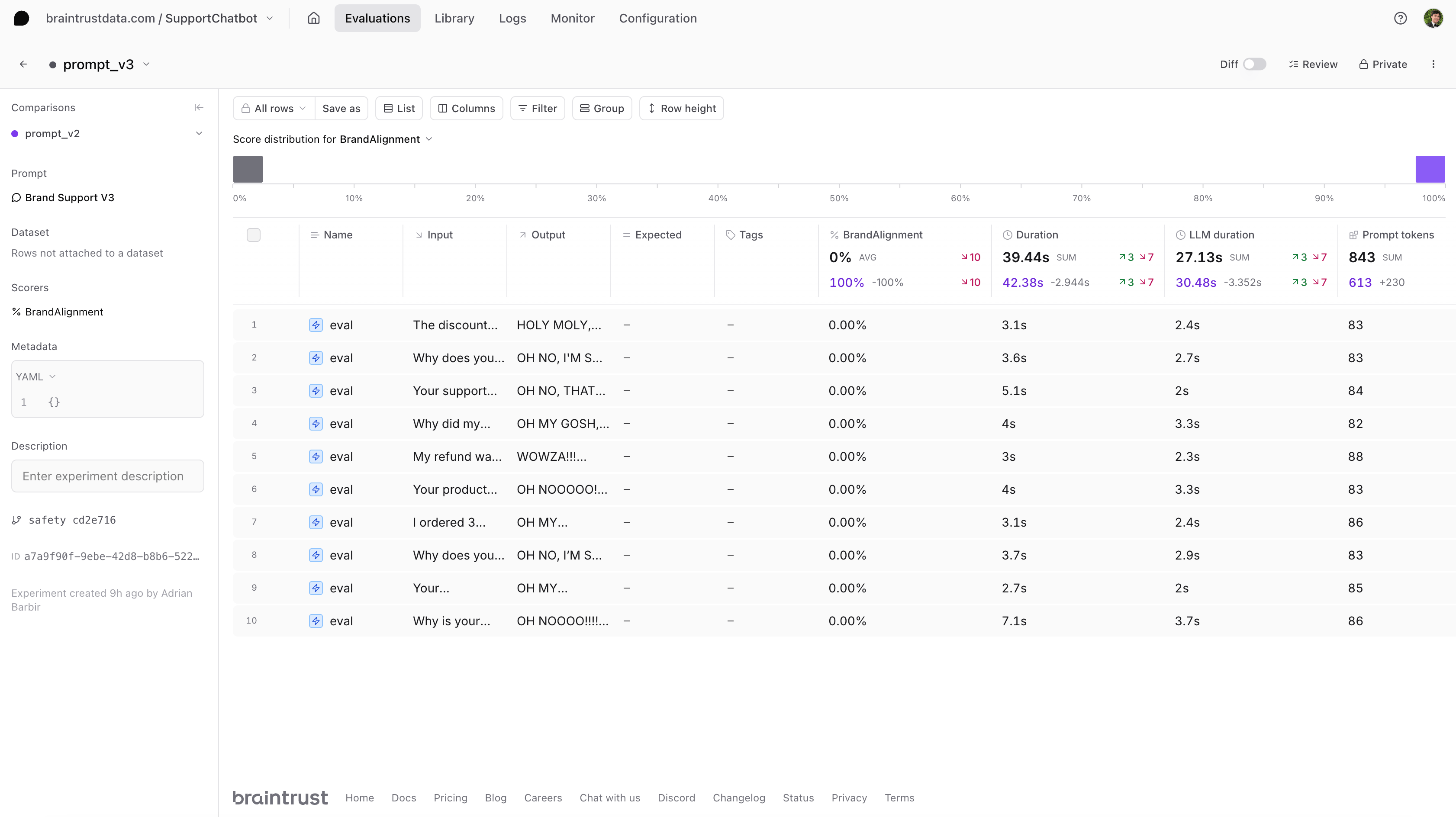
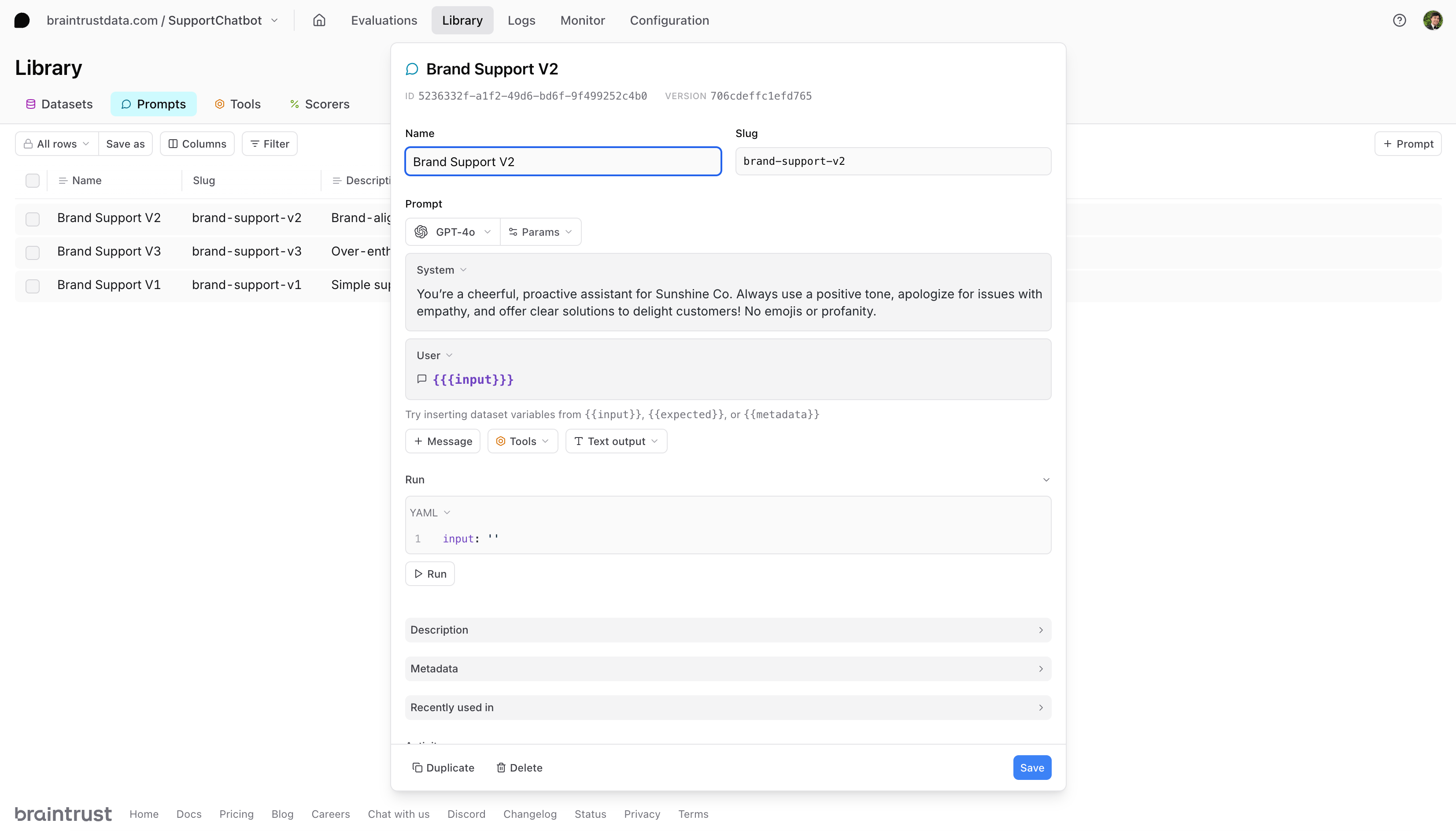
Managing prompt versions
After evaluating all three versions, we found that our second prompt achieved the highest score.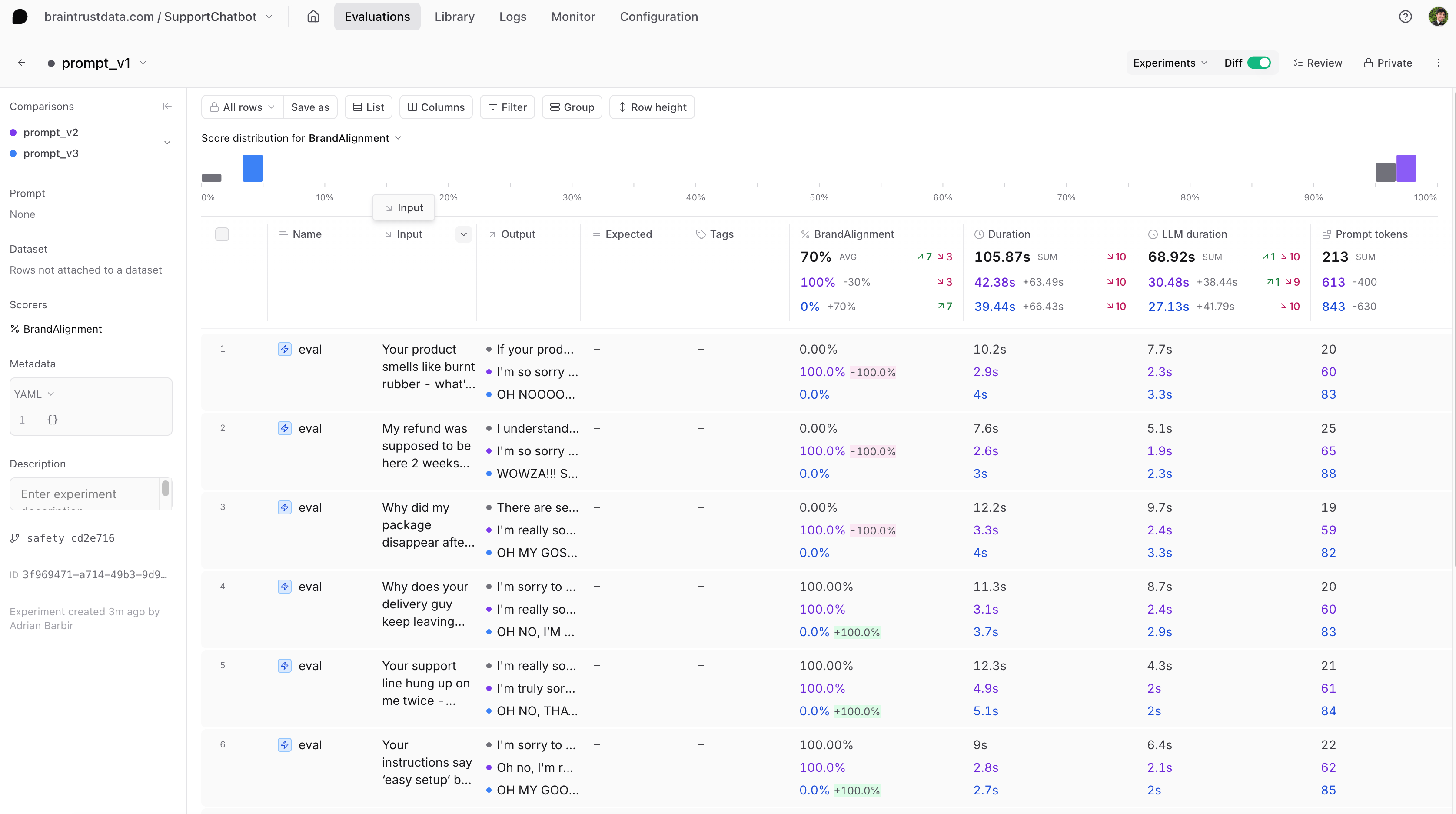
Next steps
- Now that you have some prompts saved, you can rapidly test them with new models in our prompt playground.
- Learn more about evaluating a chat assistant.
- Think about how you might add more sophisticated scoring functions to your evals.